Check how hiring software reads your PDF
Run Inspect PDF to see the text a program pulls out of your résumé file and which parts it misses.
By the end of this article you know how well hiring software can read the PDF you would send, and what to fix.
Many employers load résumés into hiring software (an applicant tracking system) that reads the PDF as plain text. Inspect PDF reads the same file a download produces, the way such a program would, and compares it with your résumé. It uses no credits.
Inspect your PDF
Save your changes first. Inspect uses your last saved version.
In the editor header, select Inspect PDF.

In the panel, select Inspect PDF again. It changes to Inspecting….
Read the score under PDF readability, out of 100.
Read each measure below it. Lines starting with Not read back: list what the program missed.
Read Issues, then Text read from the PDF. That is what the program sees.
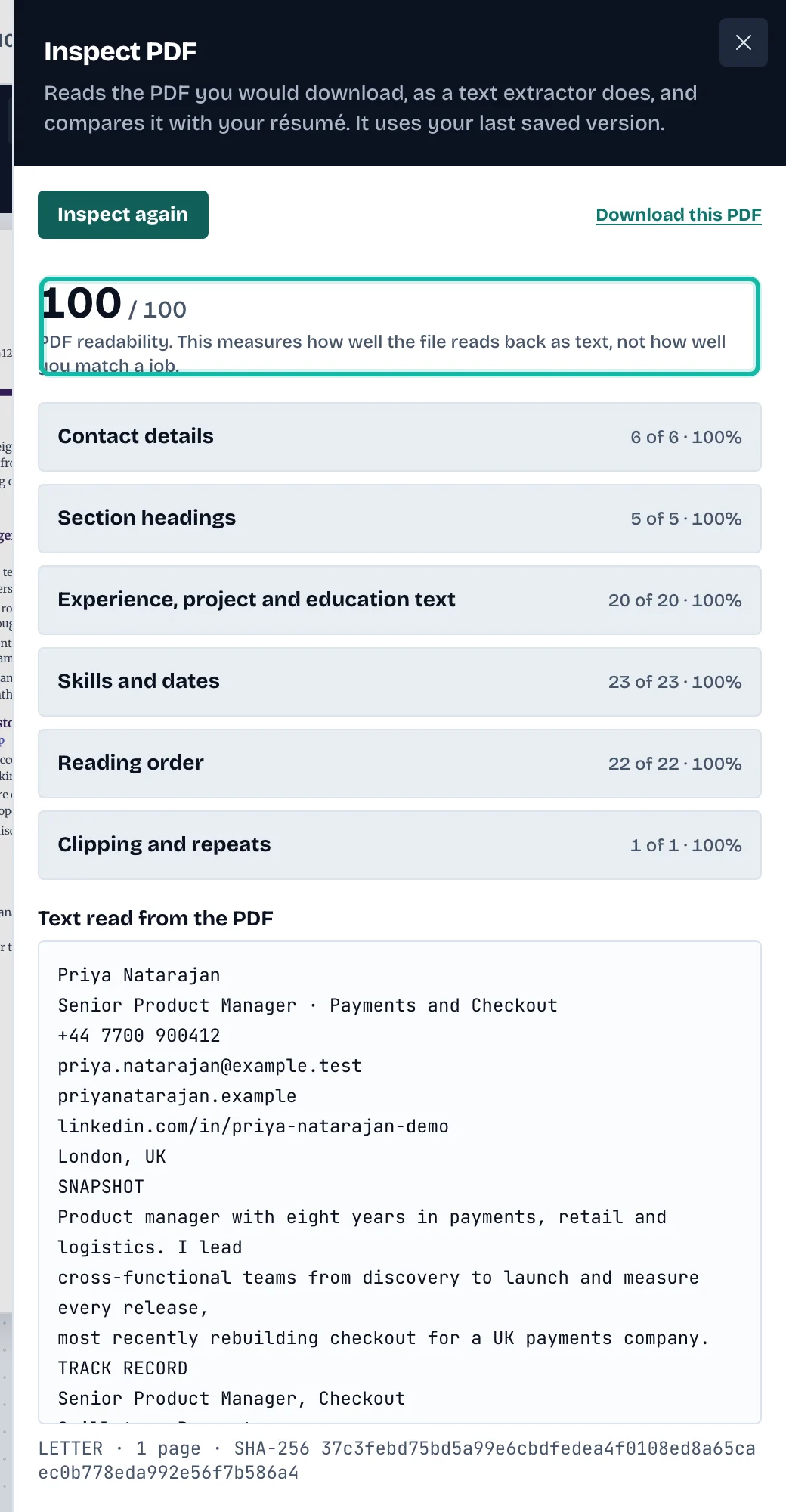
Change what the issues point to, save, and select Inspect again.
The score measures how well the file reads back as text. It is not how well you match a job. A lower score means the template trades readability by a program for its look; it is not a rule against using it. The ATS-friendly templates are built for this. See Choose a template and change styles.
What if…
It says "Not inspected yet for this version of your résumé"? Run it; results belong to one version.
It says "Can't be scored"? The panel gives the reason, for example too little text.
It says a PDF is already being prepared? Wait a few seconds and try again.
I want the file? Select Download this PDF in the panel. See Download your résumé as a PDF.
I want to check a résumé without an account? Use the free tool. See Use the free tools.