Review a shared résumé
Open a client's shared résumé, leave comments and suggest replacement text, then mark the review complete.
By the end your client has your comments and suggested replacements, and the review is marked complete.
You read the résumé exactly as the client has it, but you cannot edit it. Your comments and suggestions are visible to the client, who decides what to change.
Open the review
Select Reviews in the menu. The list shows each shared résumé with its client's email and a status: Review requested, Shared or Review complete. Requested reviews come first.
Select a résumé. You can narrow the list with the buttons All, Review requested, Shared and Review complete, or search by client email or résumé title.
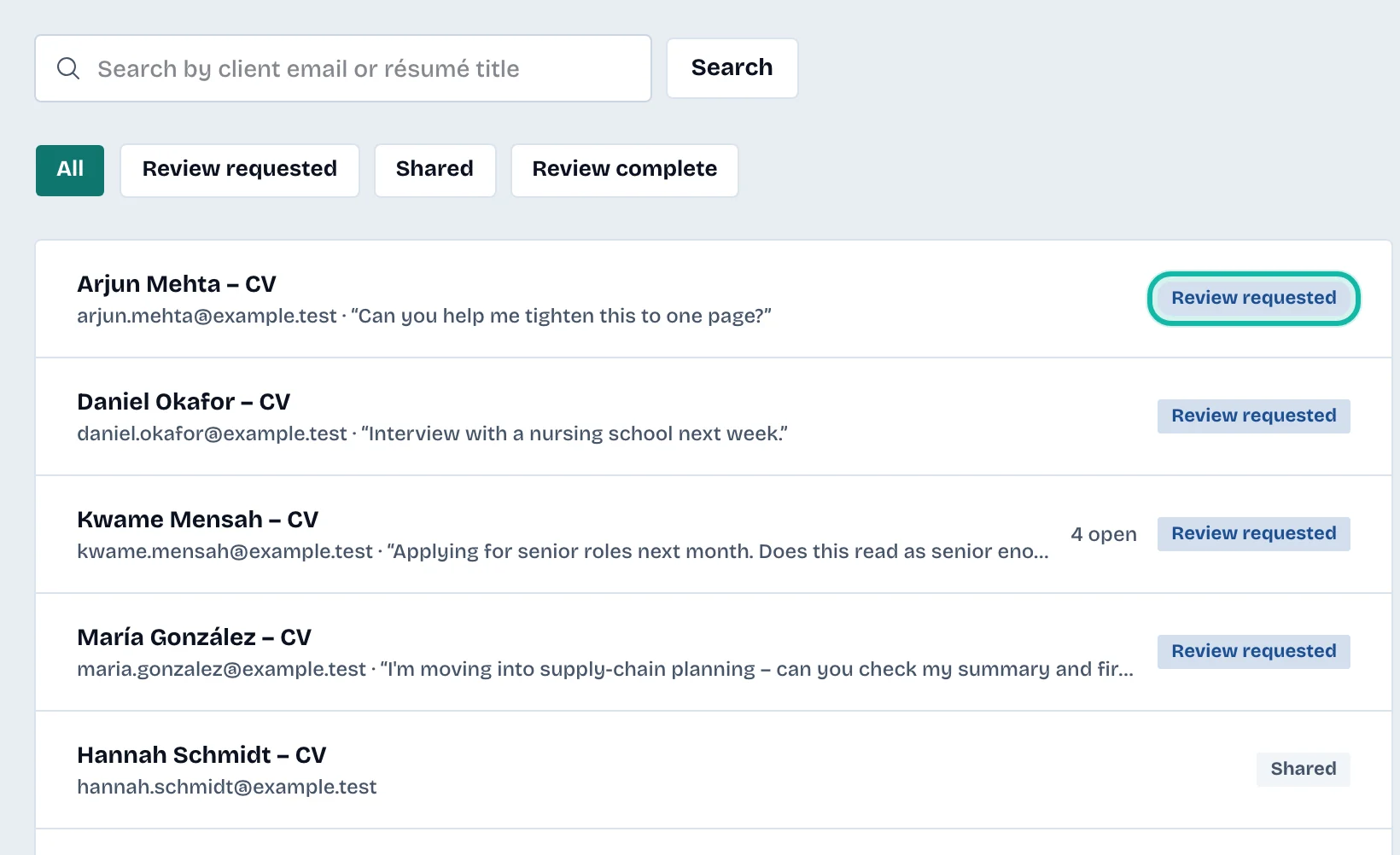
The review page shows the résumé on the left and Your feedback on the right.
Suggest a replacement
Under Kind of feedback, select Suggest replacement.
In Which text, choose a line. The résumé's lines are grouped by entry, and the Original text appears below.
Type the new wording in Replacement text.
Optionally explain why in Why this change (optional).
Select Send suggestion.
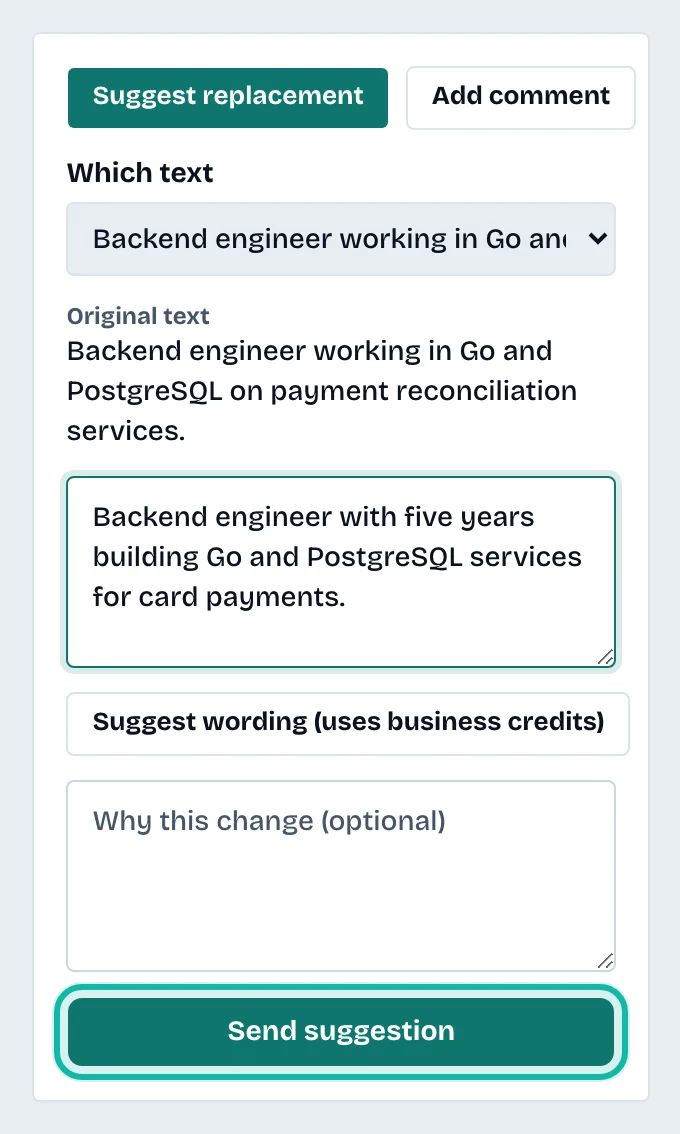
You can also select Suggest wording to see AI-written alternatives for the chosen line. Select one to copy it into Replacement text, then edit it. This uses business credits. See /pricing for allowances.
Add a comment
Select Add comment.
Optionally choose a line in About (optional), or leave The résumé in general.
Type in Your comment.
Select Add comment.
Follow what you sent
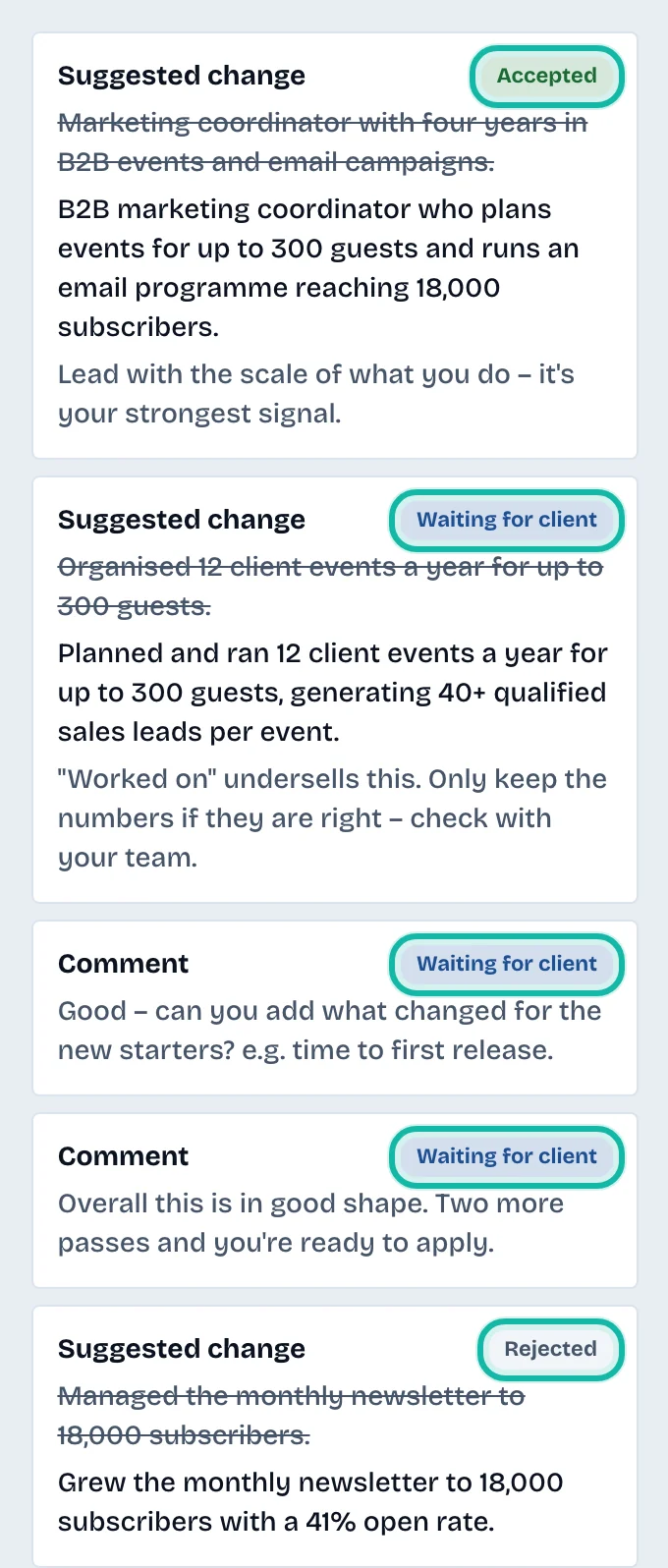
Under Feedback so far, each item shows Suggested change or Comment with a status:
Waiting for client: the client has not responded yet.
Accepted: the client applied your suggestion.
Rejected: the client declined it.
Dismissed: the client dismissed your comment.
Text changed: the client edited the line after you wrote the suggestion, so it was not applied.
Finish the review
When you have nothing more to add, select Mark review complete at the top of Your feedback. The status changes to Review complete. The client can ask for another review later.
What if…
I need to hand the review to a colleague? See Track reviews and overdue deadlines.
The résumé looks different from what I expected? It is shown with the client's own template and layout, the way an employer would see it.