Create your coaching business account
Sign up, set up your coaching business and choose a plan so you can invite clients.
By the end you have a coaching business on BrighterResume, ready to invite clients.
A business account uses its own email address, separate from any personal BrighterResume account. If you already have a personal account with the email you want to use, see Use your own résumés alongside coaching.
Open
/business/signupand create your account with your work email.After you sign in, the Set up a business account page opens.
Under What kind of business?, select Career coach.
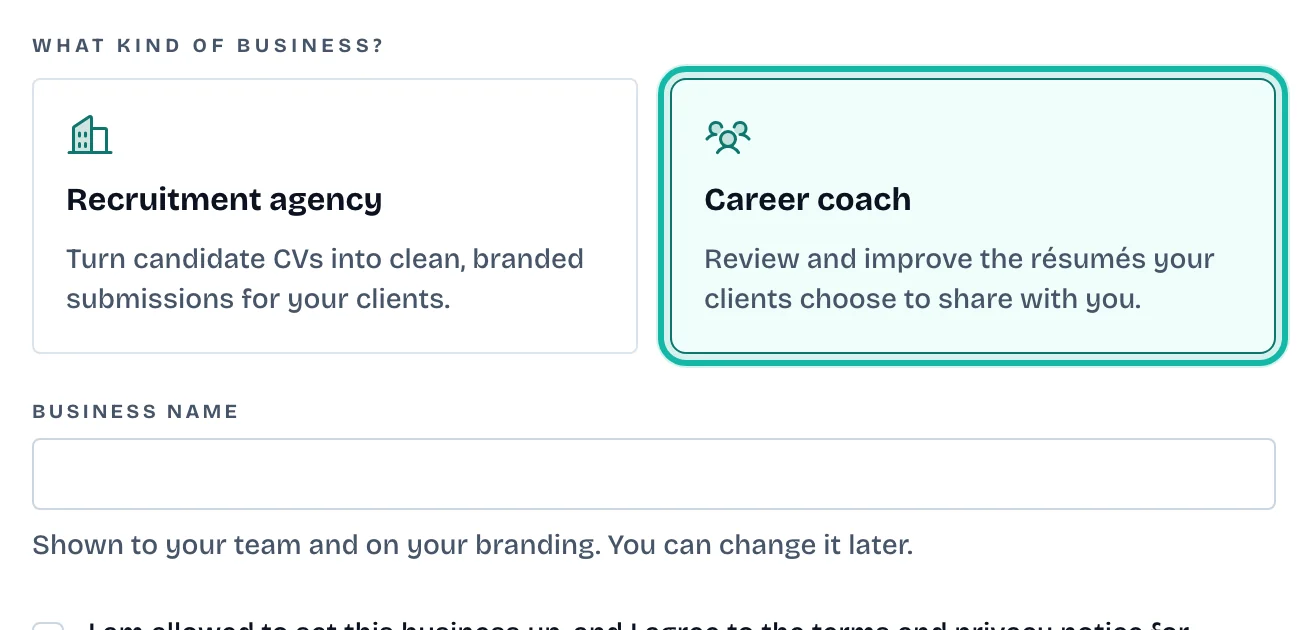
Enter your Business name. It appears to your team and on your branding, and you can change it later.
Tick the box to confirm you can set the business up and agree to the terms and privacy notice.
Select Create business.
On the Billing page, select a plan and then Subscribe, or select Have a pilot code?, enter the code and select Start free trial.
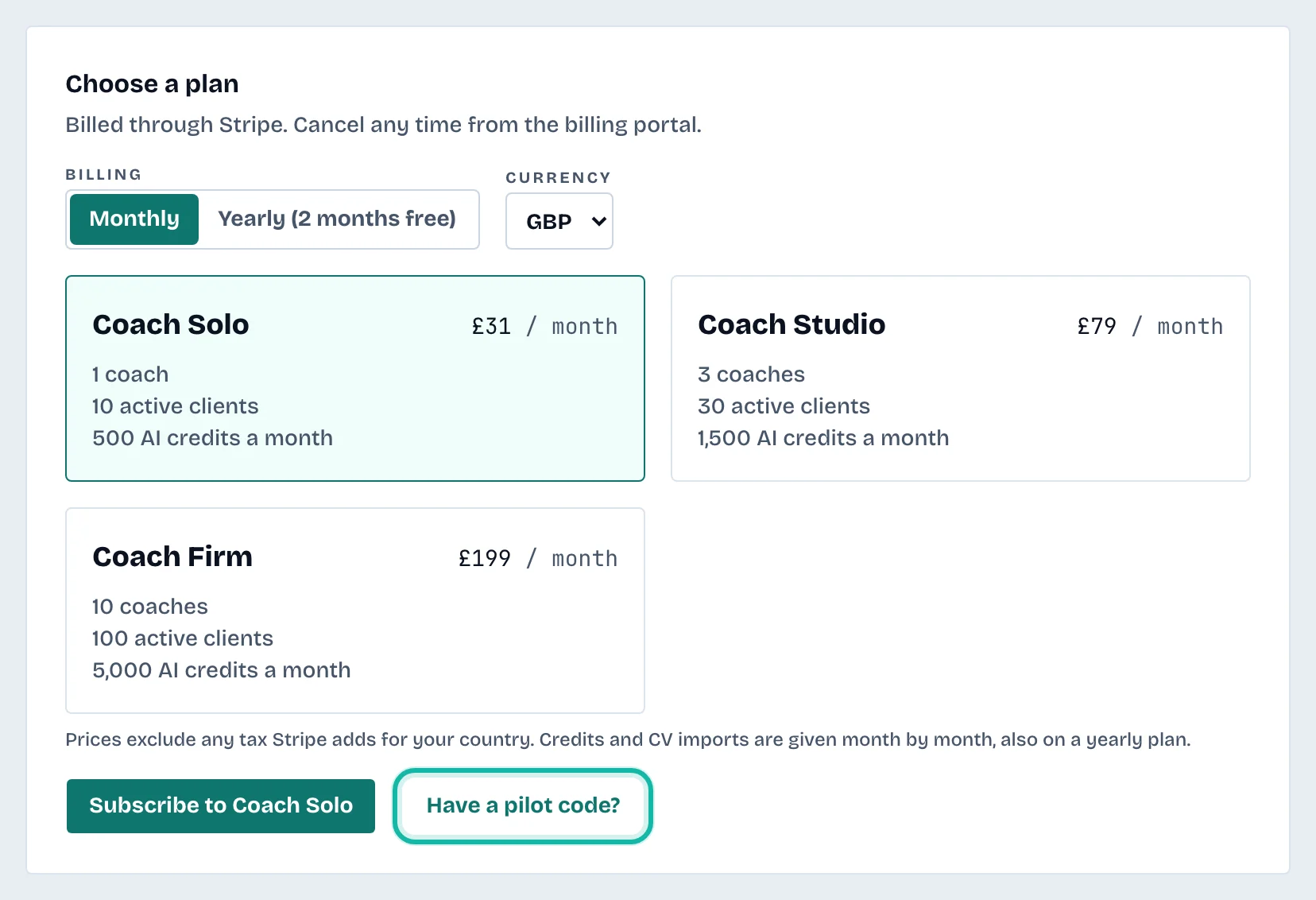
Plans are billed through Stripe. See /pricing for what each plan includes.
What if…
I only see Recruitment agency, not Career coach? The coaching edition is not switched on for your account yet. Contact support.
I get a page saying "This is a personal account"? You signed in with an email that already belongs to a personal account. Sign out and create the business account with a different email.
The dashboard says "Start a plan to begin"? Your business has no plan yet. Select Choose a plan or enter a pilot code, which opens Billing.