Add private notes about a client
Keep notes your coaching team can read and your client never sees.
By the end you have a note on a client that only your coaching team can read.
Private notes are kept apart from the comments and suggestions on a résumé. Your client never sees them, and they are not used by AI.
Open Clients and find the client.
Select Notes on their row. A panel opens with the title Private notes for your coaching team.
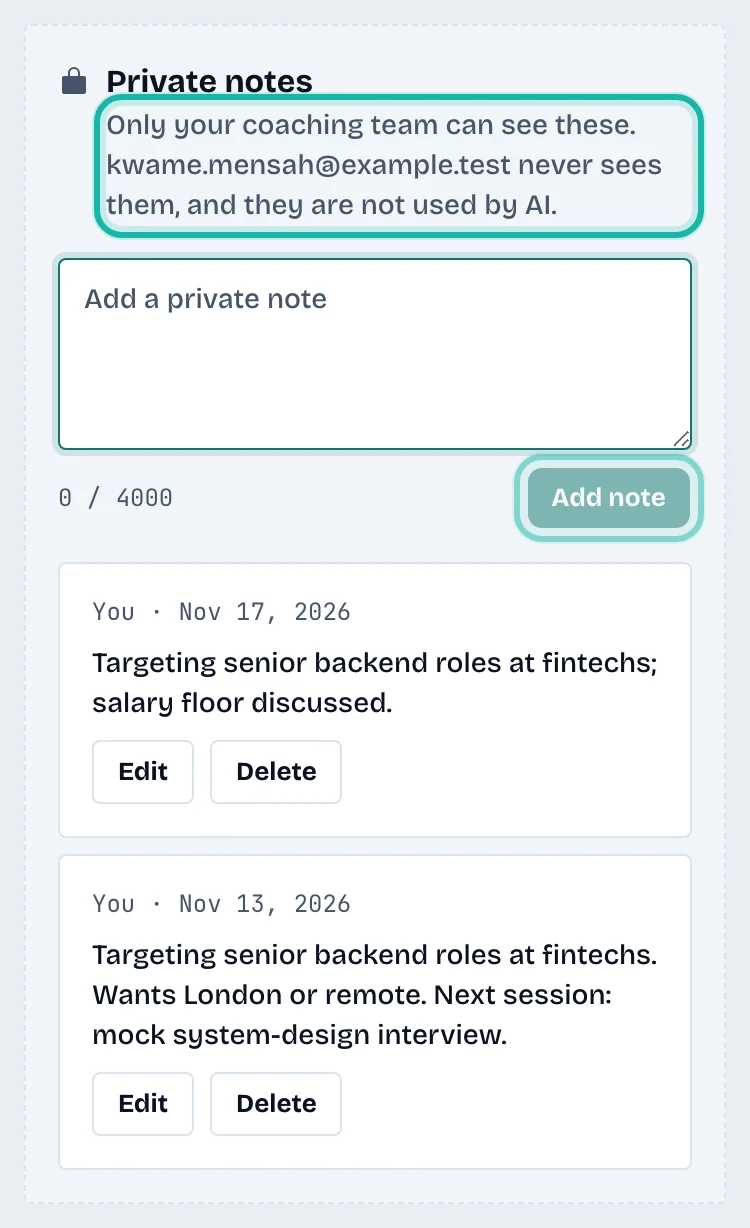
Type in Add a private note.
Select Add note.
You can also write notes at the bottom of any review page, under Private notes.
Edit or delete a note
Select Edit or Delete under a note. You can change or delete your own notes. Owners and admins can change or delete any note. Deleting removes the note for the whole team and cannot be undone. Edited notes are marked "edited".
What if…
I cannot edit a colleague's note? Staff can edit only their own notes; owners and admins can edit any. Notes from someone no longer on the team show as "A former team member".
What is the limit? Each note holds up to 4000 characters.