Compare an export with the original
Check side by side that the blind version hides what you intended.
By the end you have checked, side by side, that the export hides the right details and nothing else is lost.
Comparing is for your team only. The original is never exported, and nothing from the comparison is stored.
Open the candidate and select Prepare export.
Hide at least one identifier. See Prepare an export for a client.
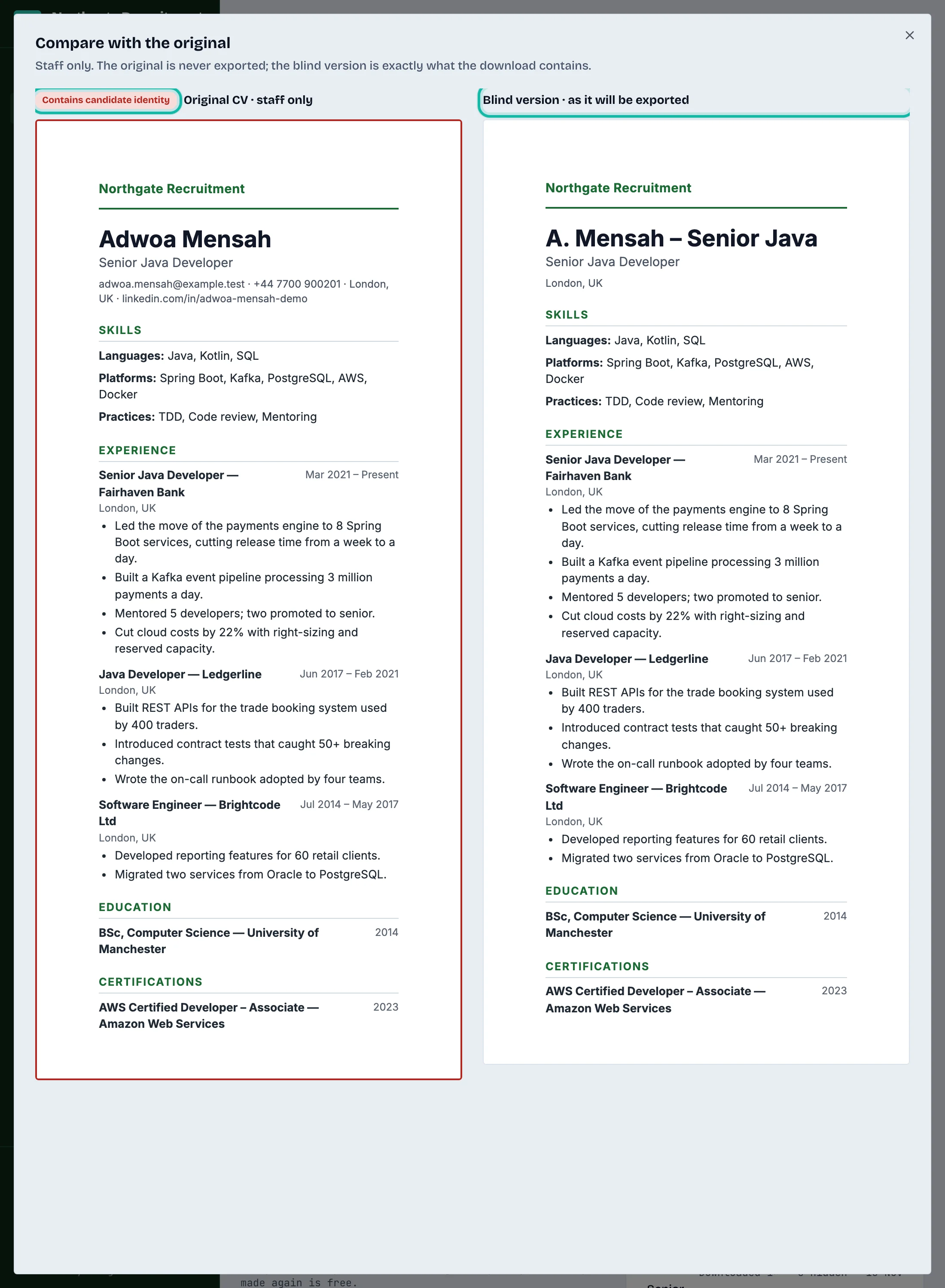
Above the preview, select Compare with the original (staff only).

Scroll. The two versions move together: Original CV · staff only on the left (marked Contains candidate identity) and Blind version · as it will be exported on the right.
Close the box when you are done.
What if…
I do not see the Compare button? It only shows when at least one identifier is hidden. If nothing is hidden, the export equals the original.
The preview looks different from the download? Page breaks and the footer are exact only in the downloaded file.